Adding Brands to Your Store
Follow these steps to add a brand to your Storeino store.
Step 1: Navigate to the Products Section
- Log in to your Storeino account and go to the “Products” section.
- Click on “Brand”, then select “New Brand” to create a new brand entry.
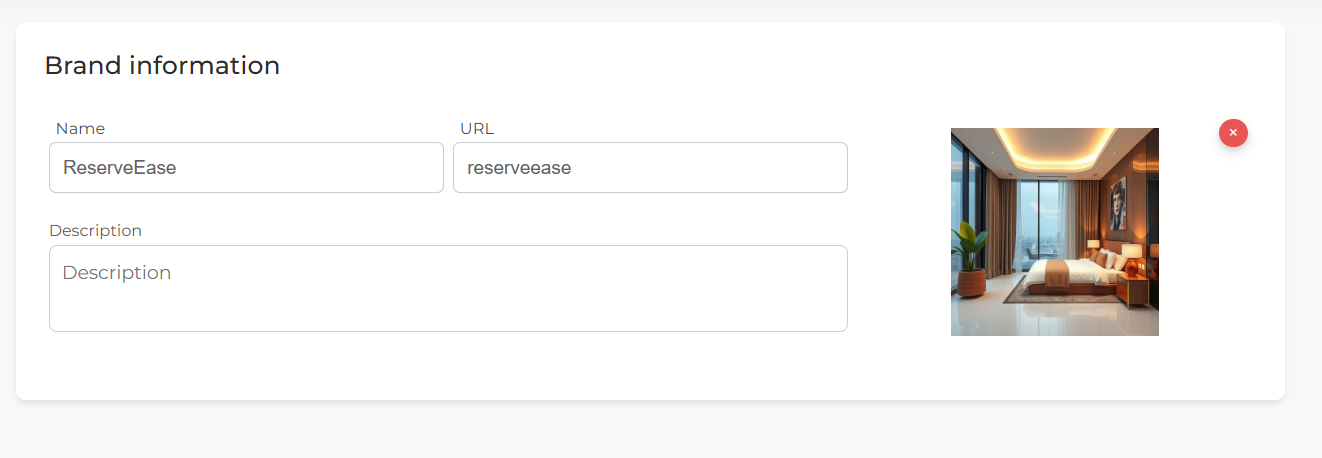
Step 2: Enter Brand Information
- Name: Provide a name for the brand.
- A line key will be automatically generated, but it can be edited if necessary.
Step 3: Add Brand Description and Image
- Add a description to provide more information about the brand for customers.
- Upload a picture to represent the brand visually.
Step 4: Confirm Brand Creation
After filling in the details, click “Confirm” to complete the process of adding the brand to your store.
Step 5: Benefit of Adding Brands
Adding brands to your store helps customers easily find products from specific brands, improving their overall shopping experience.