User Management
In the users section of the manager dashboard, the User Management section in the platform enables administrators to efficiently manage user accounts and roles. Key features include:
- Add User: Allows administrators to create new user accounts.
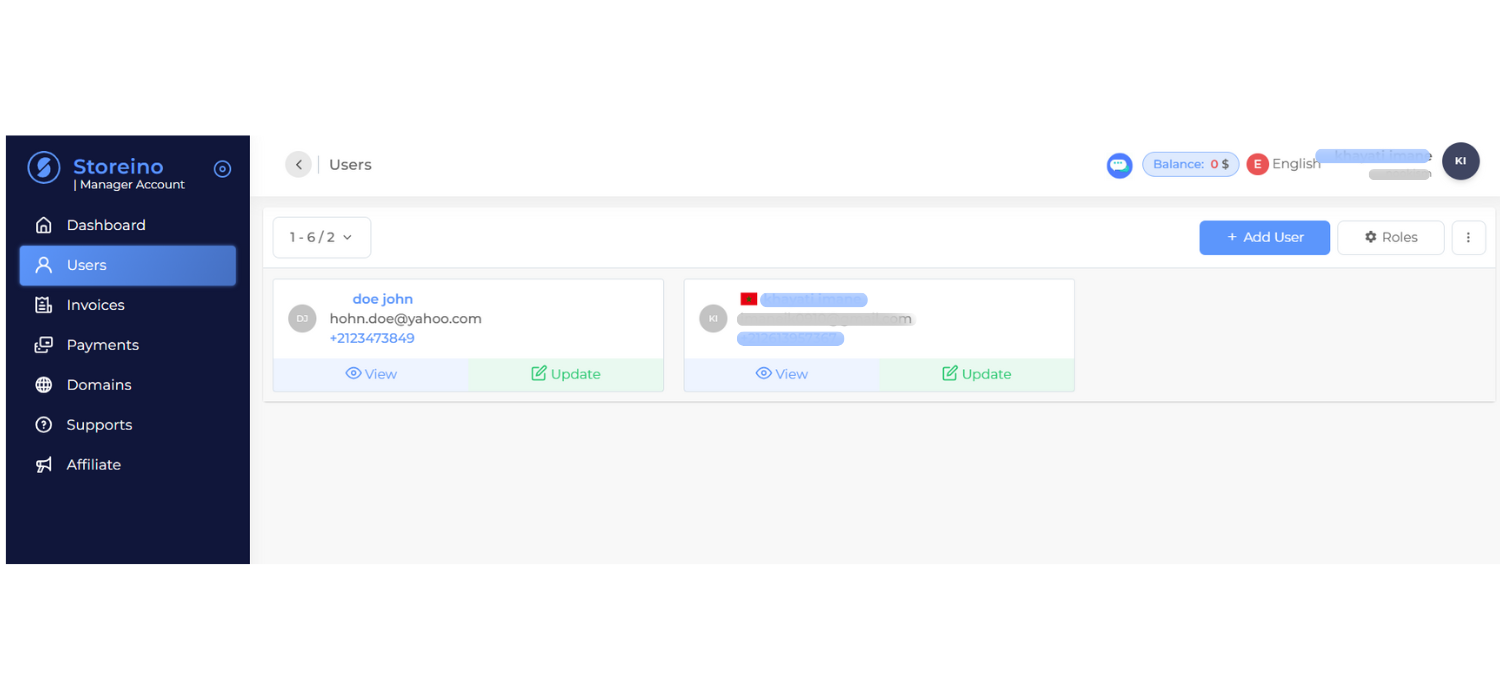
- Roles: Provides options to manage user roles and assign permissions.

- User List: Displays all users with details like name, email, phone number, and action buttons for viewing or updating user information.
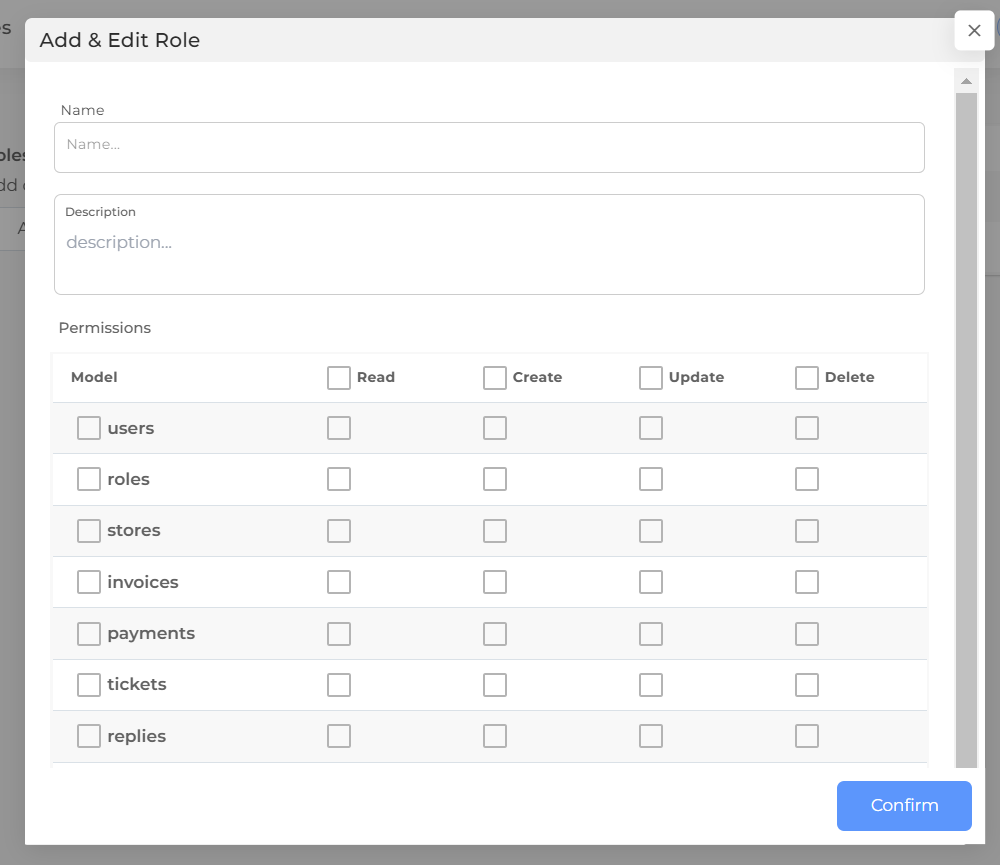
- Add & Edit Role: A modal for defining roles with fields for name, description, and permissions. Permissions can be assigned through a table with checkboxes for actions like read, create, update, and delete across various resources (e.g., users, invoices, payments).