Managing Your Store
1.3.1. Choosing Your Store Management Settings
Before opening your store to customers, there are several key setup tasks that need to be completed to ensure everything is configured properly. These tasks are divided into two sections: Manager Section and Store Section.
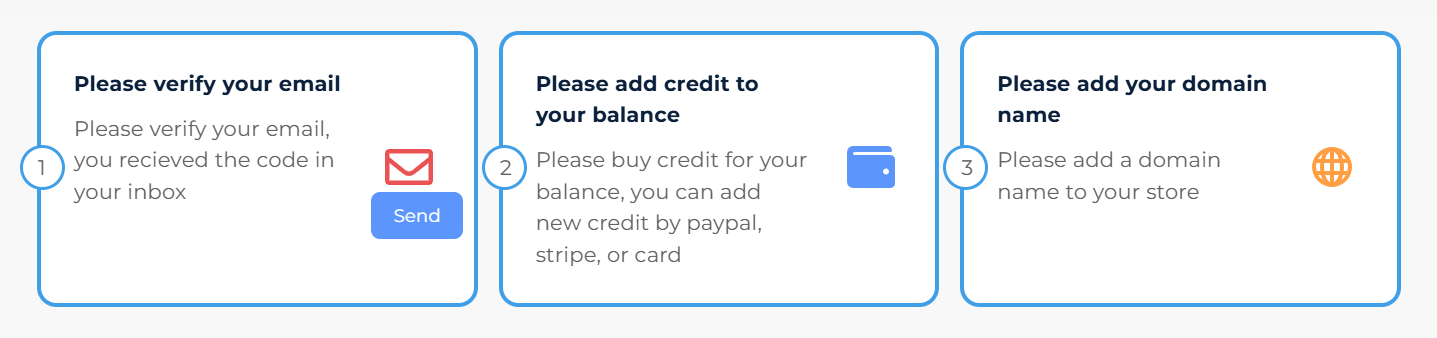
Manager Section
- Verify Your Email
- Purpose: To confirm your store account.
- Action: Check your inbox for a verification code and enter it to verify your email.
- Indicator: Click the Send button to finalize the verification.
- Add Credit to Your Balance
- Purpose: To fund your store’s account for any required services.
- Action: Add credit to your balance using PayPal, Stripe, or a credit card.
- Add Your Domain Name
- Purpose: To connect a custom domain to your store for a professional look.
- Action: Add a domain name of your choice to the store.
Store Section
- Add Your Products
- Purpose: To populate your store with items for sale.
- Action: Add products, including their details (e.g., variations like colors and sizes).
- Resource: Click the link provided to watch a tutorial video for help.
- Add Your Collections
- Purpose: To organize your products into categories for easier navigation.
- Action: Create collections such as “Clothing” or “Accessories” to group products.
- Resource: Watch the provided video tutorial for guidance.
- Customize Your Template
- Purpose: To personalize your store’s appearance and branding.
- Action: Edit your store’s template, including colors, fonts, and layouts.
- Resource: Refer to the video tutorial linked for assistance.

By completing these tasks, your store will be properly set up and ready to provide a seamless shopping experience for your customers.