Adding Balance to Your Storeino Account
Adding balance to your Storeino account allows you to pay for subscriptions, domain names, and additional services such as SMS and WhatsApp integrations. Follow the steps below to add funds to your balance.
Step 1: Switch to Manager Account
- Log into your Storeino account.
- Go to the Manager Account by clicking the account icon at the top-right corner and selecting Back to Manager.
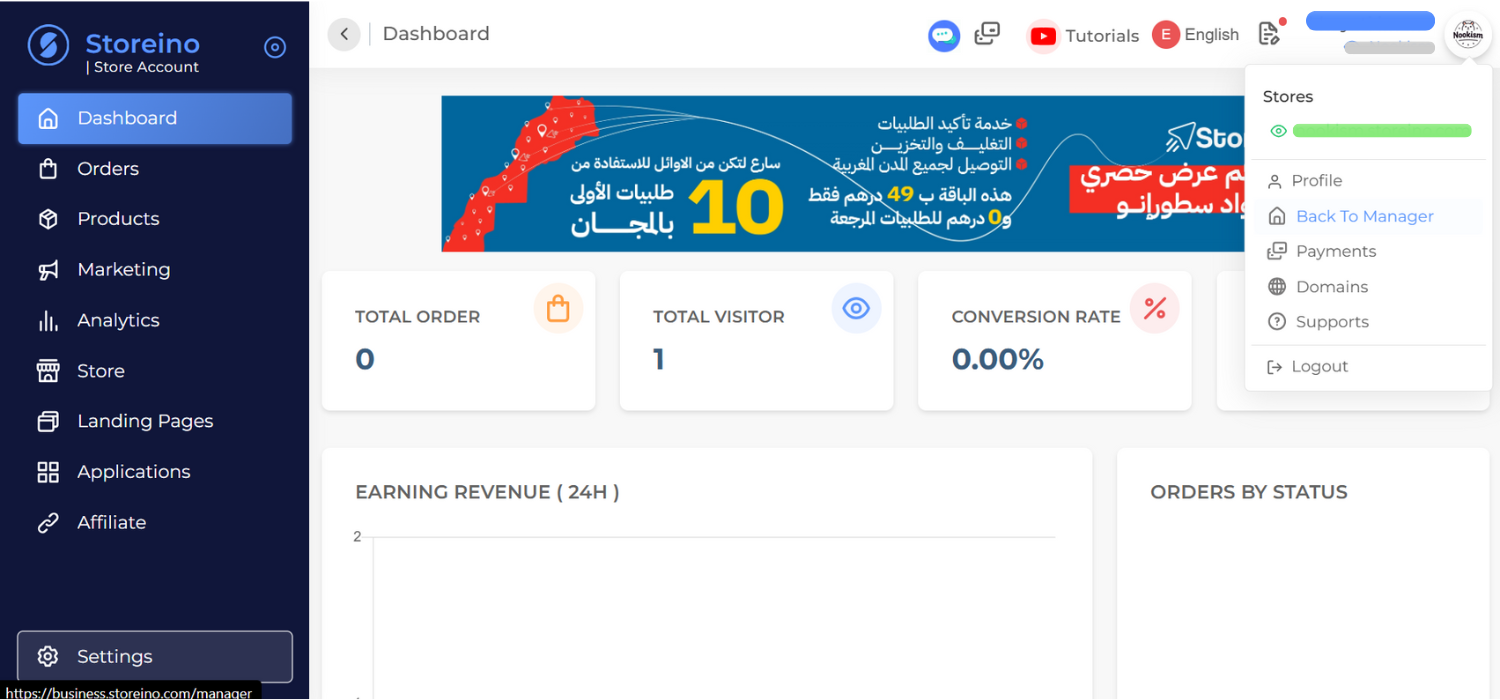
Step 2: Access the Balance Page
- On the Manager dashboard, locate the Balance button at the top of the page.
- Click on it to access the balance management page.
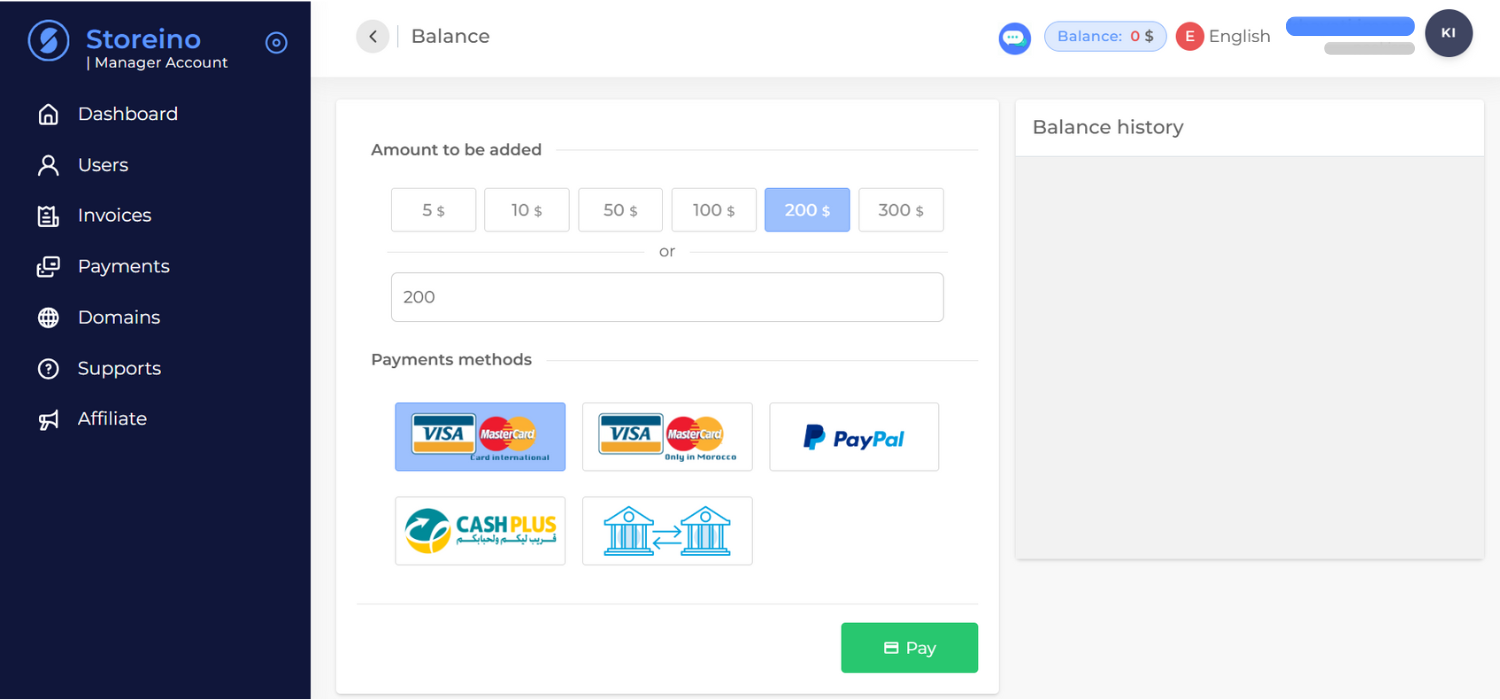
Step 3: Choose the Amount
- Select a predefined amount from the available list (e.g., $10, $50, $100, etc.).
- If your desired amount is not listed, type it manually in the amount field (e.g., $60).
Step 4: Select a Payment Method
Storeino offers multiple payment methods based on your location and preference:
1. Credit Card
- International Card: For users with globally accepted credit cards.
- Local Card (Morocco): For Moroccan residents using locally issued credit cards.
2. PayPal
- Select this option if you prefer to pay through your PayPal account.
- Complete the payment by logging into your PayPal account and confirming the transaction.
3. Cash Plus (Morocco)
- Choose this option for in-person payments.
- After selecting it, you will receive a payment code.
- Visit the nearest Cash Plus agency, provide the payment code, and pay the desired amount.
4. Bank Transfer
- Choose this method if you prefer to transfer funds directly to Storeino’s bank account.
- Follow these steps:
- Use the bank account number provided on the balance page.
- Transfer the amount at your nearest bank.
- Obtain a proof of payment slip from the bank.
- Send a picture of the slip to Storeino via email or WhatsApp (details provided on the page).
- Once verified, the amount will be added to your balance.
Step 5: Confirm Payment
- After selecting your preferred payment method, click Pay.
- The amount will be added to your balance once the payment is processed and confirmed.
Uses of Your Balance
- Pay for subscriptions.
- Purchase domain names.
- Access premium applications like SMS or WhatsApp integrations.